

Looking for the best apps for seniors? You’ve come to the right place!
Our smartphones are amazingly powerful tools, capable of accessing the internet, taking photos and making life easier than ever. But they really excel when useful applications are downloaded to assist with everything from day-to-day tasks to complex activities and your favourite hobbies.
Applications or apps unlock the full potential of your devices. Some apps are designed especially for elderly phone users, whilst others benefit everyone. We’ve got a mixture of both, so read on to find what’s best for you.
Staying Connected
There are so many useful apps that help us stay connected to family, friends and nowadays even our doctors. Obviously, our smartphones have calling capabilities built-in, but if you want to take your communication to the next level, then one of these apps is a must.

Messenger
Messenger is Facebook’s messaging arm — you might know it as Facebook Messenger. This app is best for keeping in touch with friends and whānau who are on Facebook or the Meta platform. However, you don’t have to have an active Facebook account to use Messenger.
This app is completely free to use and familiar for most Facebook users; the only downfall is it might not be the best for contacting the grandkids, as many younger users are opting for alternatives to the once popular messaging app.
This popular messaging app is also owned by Facebook & Instagram’s parent company, Meta. It is the most used messaging app on the planet, with billions of active users. It is very simple to set up and free to use, making it a convenient choice for many seniors. WhatsApp is known for its ability to send high-quality images, easy-to-use group chats and integration with your phone number. TIP — It is worthwhile checking beforehand what applications your friends and family use, so you can join the same platform as them.
Facetime
If you and your family use Apple devices, then this is the perfect option for you. FaceTime requires those starting calls to have an Apple device and is easiest to use if everyone is using an Apple device. If you are an iPhone user, this app requires minimal setup and the application is already loaded onto your device.This popular messaging app is also owned by Facebook & Instagram’s parent company, Meta. It is the most used messaging app on the planet, with billions of active users. It is very simple to set up and free to use, making it a convenient choice for many seniors. WhatsApp is known for its ability to send high-quality images, easy-to-use group chats and integration with your phone number. TIP — It is worthwhile checking beforehand what applications your friends and family use, so you can join the same platform as them.

Zoom/Google Meet
From time to time, you might need to have a more formal video meeting, perhaps a call with your GP or a meeting with your lawyer. The apps mentioned earlier might be a little informal for these and are mostly designed for chatting to friends and family.
For these types of meetings Zoom, Google Meet and Teams are the best choices. If your doctor is setting up the meeting, they will likely send you a link allowing you to join the meeting without downloading the app. Joining via the browser is handy, but you might have limited access to some features.
Everyday Essentials
Apps not only make staying in touch easier, but they also help us in every aspect of our daily lives. New Zealanders are known for leading active lifestyles, even into their later years, so it’s the perfect reason for embracing technology and letting apps make the day-to-day easier than ever.

MetService
We all know the weather can be pretty chaotic in New Zealand, with four seasons in one day being a common occurrence. Thankfully, weather apps like MetService and Windy take the guesswork out of the process and make accessing accurate, up-to-date forecasts simple and convenient. TIP — Make sure to allow location access so you can save time searching for relevant forecasts.
Google Maps
This app is likely already downloaded on your device, especially if you’re an Android user. The most used maps app in the world, Google Maps is the go-to for finding your way around. This app can be used in several ways, from simply getting directions to a destination to finding must-visit places nearby.
If you want to get the most out of the application, try leaving reviews for places you’ve visited and saving items for future reference; it’s easy to organise saved items into different groups like “restaurants” or “sights”. Another handy tool is the Streetview feature to get a feel for a place before visiting.

NZ Herald
This is the most popular news app in New Zealand; you might prefer Stuff, RNZ or 1News. Having a dedicated news app makes it a whole lot easier to keep up to date. NZ Herald will send you notifications about stories most relevant to you. It also makes your news reading a safer experience as you won’t be searching the web and browsing pages with popups or potentially unsafe ads. TIP — look out for sponsored stories which can include links to third-party websites.

Your Banking App
Whether you bank with one of the big four or use a smaller local bank, the safest way to access and manage your accounts is via their dedicated mobile banking app. Using the banking app means you get all of the built-in safety features, the process becomes simpler, and you won’t end up on the wrong site by accident.
Scammers often create fake versions of online banking portals, meaning if you clicked on a fake ad or a slightly wrong link, you might be providing your banking login details to an untrusted party. TIP — only download banking apps from the official app store.
SuperGold App
The SuperGold smartphone app is the easiest way to find discounts and special offers when you’re out and about. Whether you’re close to home or travelling around New Zealand, the app helps you discover deals nearby. If you’re over 65, then this app is a must-have! It unlocks a whole array of benefits reserved for Gold Card holders — including our very own SuperGold card discount rates.
Health and Wellbeing

As many Kiwis age, health and wellbeing become increasingly important. Thankfully, mobile apps have brought a new level of accessibility, support and care. Making wellbeing and health assistance easier than ever to access. Below are just a few of the best health and wellbeing apps for New Zealand seniors.
Health Portal App
Your own GP will have their preferred application which they use and will likely ask you to download. Some users have become worried about privacy since the major Manage My Health Data breach in January 2026. Unfortunately, breaches like this can occur; however, Health Portal Apps are generally considered safe to use.

Medisafe Medication Management
This is a handy pill and medication reminder app — perfect for those of us taking a lot of different medications and prone to the occasional forgetful spell. One great feature is the ability for family members to track medicines in the app too, making doubly sure that your medicines aren’t being forgotten.
BrainTrack app
The BrainTrack app is for people who are interested in healthy ageing, who may be noticing early changes in their cognition and who may have health or lifestyle factors that place them at risk of dementia. The app is interactive and fun to use, whilst tracking brain health and cognitive function over time.

Nymbl
Nymbl is a free, fun and easy-to-use app that is fully funded by ACC. It’s designed to help people over 50 stay on their feet. The app achieves this through simple body movements with brain games to challenge both the mind and the body. Nymbl is all part of ACC’s older people’s programme, Live Stronger for Longer.
Safety and Security
The internet is a wonderful tool that helps us stay connected, informed and up to date, but…. As you’re likely aware, there are some unfortunate risks involved, just as there are with aging independently. These apps below help to mitigate those risks.
Password Manager
You’ll notice that we haven’t mentioned one specific Password Manager app in the heading for this section. That’s because there are a number of solid options which all provide a similar product. A couple of good, reliable options are 1Password and LastPass. Both are paid services, but great at keeping your passwords safe, especially if you forget your different passwords easily. It is important that you set these up correctly and safeguard your master password well.

Malwarebytes Mobile Security
This app is only available on Android, so iPhone users don’t bother scouring the App Store for this one. If you are on an Android device, it is a great idea to beef up the security on your mobile device, and why not start with this handy app which protects your device from malware, adware and spyware.
Life360
If you’re living independently or have a family member doing so, then Life360 might just be the peace of mind and sense of security your whole family seeks. This handy app allows family and friends to share their locations live via the app, no matter what device they use. They also have handy tile trackers for keeping tabs on items that you might misplace, like your keys, wallet or handbag.
Entertainment and Learning

Odds are, you likely already have your favourite entertainment apps that you use often. Whether it’s an app that lets you watch your favourite shows or access the best podcasts or songs, entertainment apps can really improve the smartphone experience.

YouTube
YouTube is still the most popular video-sharing platform and website in the world, and the dedicated app makes the viewing experience even simpler. If you have an Android device, the YouTube app is likely already installed. Many people think YouTube is simply for entertainment, but it can also be a great learning tool. The platform is stacked with helpful tutorials, deep dives, and informative documentaries. This is all great content for keeping the mind stimulated and active.
Libby
If you’re an avid reader, then Libby is the perfect app for you. Libby allows users to access thousands of free eBooks, audiobooks, and magazines in New Zealand. It does this using your local public library card, making the whole process simple and convenient.
Spotify/Audible
Both of these apps are useful for accessing audiobooks, with thousands of titles available. They make it easy to listen to your favourite authors on the go, you can even download audiobooks and listen to them offline when you’re on the road or simply away from reception. Spotify has the added appeal of being the number one music streaming platform globally, giving you access to millions of songs, all on your smartphone. These apps have free and paid levels with additional in-app purchases available.
Streaming platforms
There are a number of different options when it comes to streaming content like movies, shows or documentaries. If you can’t narrow it down to one or two favourites, it can get expensive. Netflix, Disney and Amazon are all popular paid choices. If you prefer to go for a free option, TVNZ+ or ThreeNow are great local options worth considering. Both have a range of titles and no upfront costs — they do have a few ads though.
Making Life Easier
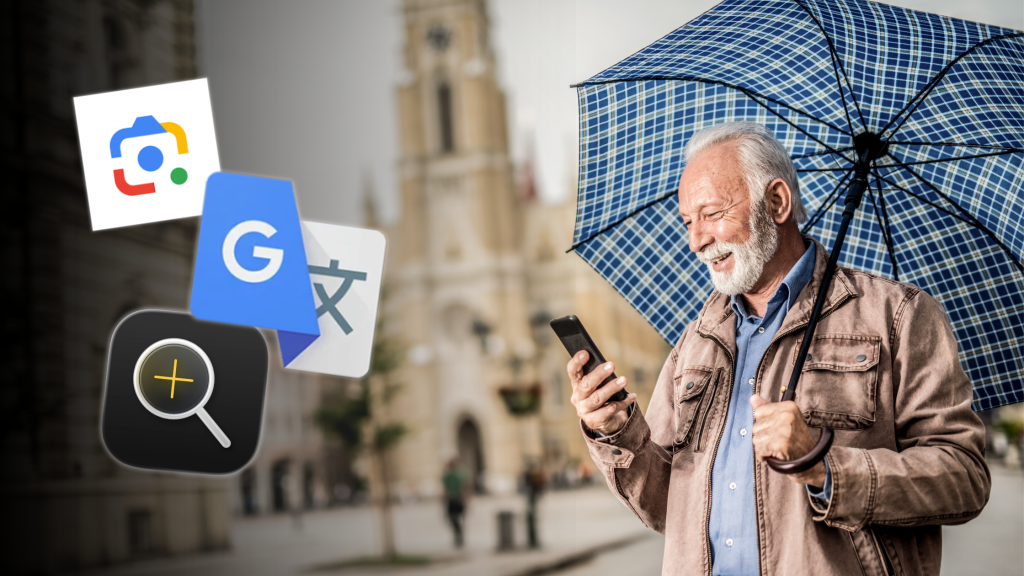
These are a few options that were too good not to include; they might not be useful for everyone but could just come in handy. After all, anything that makes life a little easier after 60 is a bonus, right?
Google Lens
This handy app works on both Android and iPhone and makes search, translation and simple identification a whole lot easier. Google Lens basically lets you search what you see. Simply open the app on your device, point your camera and search. For text, Google Lens can translate words you see, save contact details to your device, add event details to your calendar or simply copy and paste. If you ever see a flower you like the look of or a menu in a foreign language, Google Lens will give you the answers you need.
Translation
There are a couple of different options for translation. Google Translate is the most popular, but Samsung and Apple also have good translation apps built in. Google has the most available languages by default, so is generally the best all-around option. Translation apps make travelling and communicating easier than ever.
Magnifiers
Most devices come with some form of magnifying glass built in. On iPhone, it’s called Magnifier and uses the phone’s camera as a real-world magnifying glass. Next time you need to help looking at something small, try using your device’s magnifier app.
We’ve covered a lot of useful apps for seniors today — don’t worry, you don’t have to download them all at once. If you’d like a hand deciding what’s right for you, or perhaps you need some extra space on your device to fit all of your apps; Geeks on Wheels is just a call away. We can offer training advice and help implement storage solutions to free up space on your device. Call the friendly Geeks on Wheels team on 0800 424 335 to book your appointment today.
