

Ever asked yourself, ‘Are refurbished computers good?’ The answer is yes. When you buy from a reputable source, refurbished computers can be just as reliable as new ones. In recent years, more people are choosing alternatives to expensive brand-new devices by buying refurbished or second-hand computers. Whether you’re a student on a budget, a business looking to stretch your IT spend further, or someone who wants a reliable laptop without the premium price tag, refurbished and second-hand tech is a practical choice.
In this guide, we’ll answer the most common questions people have when considering buying refurbished or second-hand computers, including how refurbished devices differ from standard used devices, how much you can save, what risks to watch for, and how to make sure you’re getting a computer that will last.
What “Refurbished” Actually Means (vs Second-Hand)
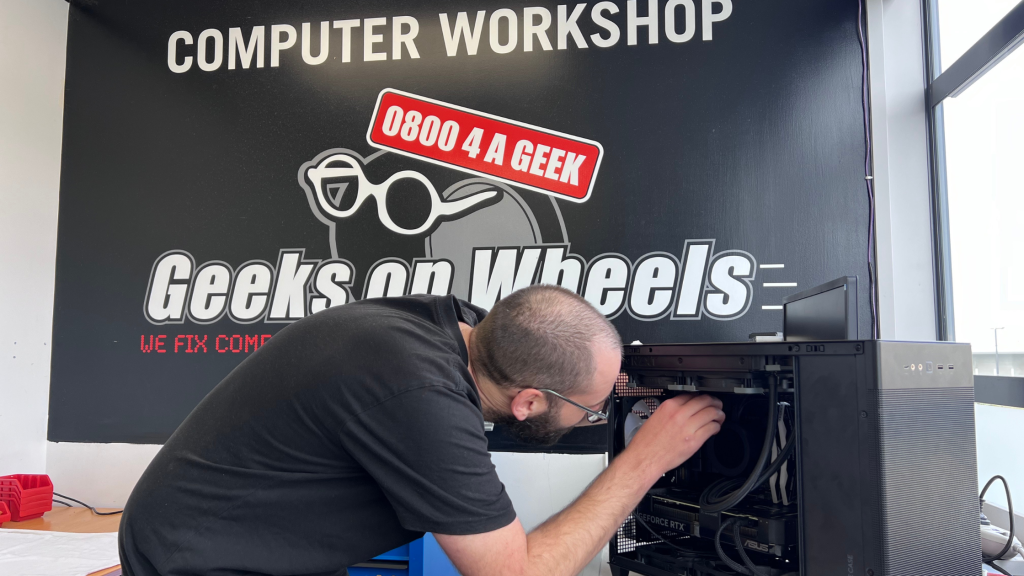
There is often confusion about what refurbished computers are, especially when people compare them to second-hand devices. Both have had previous owners, but the level of inspection, testing, and repairs is very different.
A refurbished computer is professionally restored to full working condition. This process usually involves cleaning, thorough testing, and repairs as needed. Performance upgrades are sometimes included. Meaning, refurbished computers often come with warranties and return policies, providing buyers with peace of mind.
Sellers usually sell second-hand computers as they are, without any testing or guarantees. You’ll often find them on Marketplace and Trade Me. A downside to buying second-hand is that you have to be more wary that the seller might not know much about the device or how well it works. Putting more risk in the buyer’s hands. You’ll also want to be aware of scams when purchasing on these platforms.
Why Buying Refurbished or Second-Hand Makes Financial and Practical Sense

For most buyers, the biggest advantage of buying refurbished or second-hand computers is the savings. A refurbished laptop or desktop is often significantly cheaper than buying the same device brand new. Depending on the age and model, it is common to save anywhere from 30% to 70% compared to the original retail price. You could potentially strike a deal on a better refurbished computer for cheaper than if you spent the same money on a lower-end new one!
Whether your budget is small or large, buying refurbished or second-hand computers can offer great value for your dollar. Your family or business could snag some good quality, affordable tech at a fraction of the retail price!
Common Myths About Buying Refurbished or Second-Hand

There are still several myths surrounding refurbished and second-hand computers. A common belief is that refurbished devices will not last long. In good news, that’s not true! Many refurbished models come from corporate or government fleets where the devices were designed for long-term continuous use.
Many people assume that second-hand computers are old and worn out, but techlovers often sell them simply to upgrade. It’s just important to ask the right questions of the seller before you make the decision to buy.
Another concern people have is that buying refurbished or second-hand means having no support or warranty. Private second-hand sales often provide no protection, but refurbished devices are usually sold with warranties that can range from three months to a year or more. On some platforms, you might even be able to purchase buyer protection, adding an extra safety net.
Lastly, another assumption is that a low price always equals good value. If a device is suspiciously cheap, especially in a private sale, there is often a reason. The device might be broken, missing essential components, or even stolen. You know what they say… If a deal looks too good to be true, it probably is.
How to Buy Safely (Refurbished or Second-Hand)

Now, let’s go over a few questions you should ask before hitting Pay Now.
Ask how long the previous owner used it.
This can give you an idea of the remaining lifespan of its internal components, especially the battery.
Ask the seller for details about its condition.
Photos don’t always reveal every physical defect on a used device. Ask questions like, Are all the ports working? Is there a sticky key? Does it have scratches, or is the rubber strip (that protects the screen from the keyboard) worn down or crumbling? Can the seller send you a photo of the laptop with the screen turned on?
For refurbished computers, ask about the repair and replacement history.
Check which parts the seller has replaced and what work they’ve done on the computer. Also, double-check exactly what’s included in the sale. The last thing you want is to pay for a laptop that doesn’t even come with its charger. It is also important to check out the seller’s reputation and the length and clarity of the warranty.
Make sure it comes with a valid product key for the operating system.
This tip is just if you’re purchasing a Windows device. This is usually found on a sticker on the laptop itself. If not, request a paper copy. If the seller can’t provide one, or only offers it as a digital text file, that’s a red flag, and the OS could be counterfeit, stolen, or pirated.
Who Should Consider Buying Refurbished or Second-Hand

So if you’re wondering, what’s best for me? Here’s some info to help find out.
Refurbished computers will suit you if you’re looking for reliability and support. Making them ideal for students, professionals, and home users. They also offer great savings for organisations upgrading multiple devices.
Second-hand computers are ideal for buyers who are confident in checking a computer’s condition or making small repairs themselves. They can be a great low-cost option for people who only need basic performance. The trade-off is taking on more risk and usually having no formal support after purchase.
In conclusion, buying refurbished or second-hand computers can be a smart way to save money without sacrificing performance. Refurbished devices offer the closest experience to buying new by providing testing, repairs, fresh software installations, and often a warranty. Obviously, the most important thing is that you get the most out of your computer, and we can help with that. Give us a call on 0800 424 335!
Second-hand computers can be the most affordable choice of all and can work extremely well, provided the buyer takes the time to evaluate the device and the seller carefully. With a bit of research and now knowing a few important questions to ask, hopefully you’ll find a computer that serves you well for years to come and at a fraction of the price of a new one!
