

Hey Geek fans! A new year is the perfect excuse for a fresh start, and that includes your tech! We all make New Year’s resolutions for ourselves, but what about the devices we rely on every single day? Leave your bad tech habits behind in 2025 and start fresh in 2026. We have a simple tech checklist that will make sure you’re doing the right things for your technology this year.
Update your device!
If you read our blogs or emails regularly, then you’ve probably had enough of us telling you to update your computer.
With the Windows 10 EOL having been and gone, we spent a lot of 2025 reminding people to update.
But, even if you’re using a Mac or a Windows 11 device, you need to stay on top of updates.
Not surprisingly MacOS and Windows 11 have already rolled out updates in 2026. There have also been security patches and updates released for Microsoft Office, Google Chrome and other popular programs. Updates are constant and if you don’t keep up to date, then your device could be at risk. To check for updates to your operating system it’s simple. On Apple devices, go into Settings > General > Software Update > Update Now. On Windows devices go to Start > Settings > Windows Update, then click Check for updates. There are some other ways which are listed in this handy blog.
Still using Windows 10? It’s time to make the transition because extended security updates won’t be around forever, and your device will start to fall behind. Speak to the team about options today!
Backup your files
When was the last time you backed up your device? Keeping a backup of your precious files is an important step many of us overlook. Sadly photos, documents, and files can disappear without warning for a range of reasons. Due to things like accidental deletion, hardware failures, power issues, ransomware, or malware attacks. These events often happen without any warning. Recovering your data can be very difficult or even impossible! This means it’s the perfect inclusion on our 2026 tech checklist. Whilst backing up your files, take the time to organise things so they are easier to find down the line.
Incorporating regular backups into your tech routine is a great way to protect yourself from surprises! Whether you prefer cloud backups, external hard drives, or a mix of both, having a recent backup ensures your files are safe, no matter what happens. Your data is at greater risk if not backed up. Make backing up a habit in the new year, it’s definitely a smart move!
Backups can be physical, on external hard drives or cloud-based, using storage plans with providers like Apple’s iCloud, Google Drive or Microsoft’s OneDrive — these are technically called data synchronisations and are not as secure as true backups. If you delete a synced file from OneDrive, this file is deleted everywhere. That means that if a file is accidentally deleted, you don’t have a copy of it saved elsewhere.
Important Reminder
Using a hard drive or USB? Connect the drive or USB to your computer and use the built-in backup tool. (Time Machine for Mac or File History for Windows). Just remember to store your backup separately and avoid leaving it plugged into your device all the time. If a power surge were to happen or a virus found its way into your computer, it could potentially jump onto your backup drive.
Ensure your antivirus is active
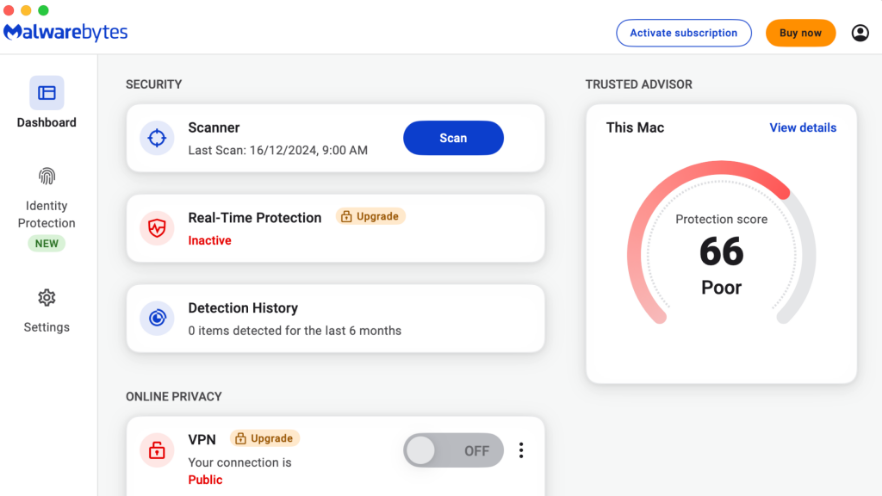
Is your antivirus active? Have you even checked? Start 2026 with 100% peace of mind.
First of all, you’ll need to be sure that you have a premium antivirus installed. We recommend Malwarebytes Premium.
If you already have antivirus software on your device, ensure it’s active. Simply open up the software, and you should see a banner that says something like secure, active or protected. If the banner says activate or renew, your antivirus protection may have expired. For more details relevant to your specific antivirus software, we’ve put a list together here.
Whilst you have your antivirus open, run a system scan of your device to check for any unwanted viruses. If the scan finds anything, follow the onscreen steps to fix it. If a serious virus or malware is detected, give us a call for a thorough device clear-out and virus removal.
Review and update your security
When did you last update your passwords? Have you enabled 2FA or MFA on all of your important accounts? What private information can people find out about you from your online profiles?
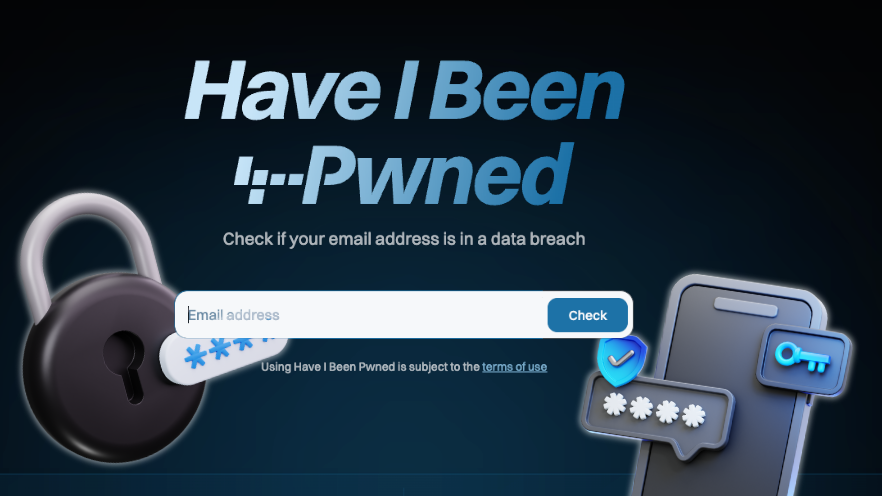
The new year is the perfect time to review all of this. If you’d like to know if your login details have been compromised in a data breach, we suggest checking on the website haveibeenpwned.com. This website will let you know if your login details have been released in a data breach. If they have don’t be alarmed. Just make sure to update your passwords and enable MFA on any of the affected accounts.
- Review your passwords – Make sure you’re using a different one for each login and update any compromised details with new strong passwords.
- Enable 2FA/MFA on all accounts – For important logins, like banks, email accounts, social media platforms and any accounts with personal information, this is a must-do.
- Review your privacy settings – Do people really need to know your whereabouts and personal information? Consider updating your privacy settings for your social media profiles so only people you know can find out information about you. You can even stop strangers from sending you unwanted friend requests.
Need help upgrading your operating system or getting your security in order, well Geeks on Wheels is the perfect team to help. Our devices give us access to our finances, communication, healthcare and businesses or work, so ensuring they are safeguarded and ready for the year ahead is important. You wouldn’t drive an unserviced car, don’t treat a computer any differently. Let the experts tick off your 2026 tech checklist. Book today!
