

Technology is pretty darn cool. It keeps us connected, entertained, informed, and organised. But every now and then, it’s worth stepping back and asking: am I using my tech, or is my tech using me? The good news is that your devices already come loaded with smart digital wellbeing tools designed to help you get more out of your screen time and less of the mindless stuff. Here’s how to make the most out of them!
Your Phone Already Has a Wellbeing Dashboard
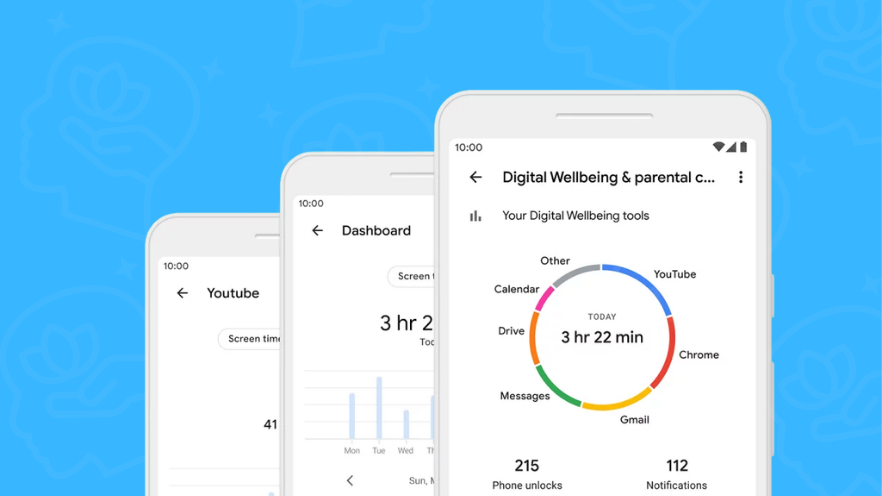
Most people have no idea that their smartphone comes with a built-in digital well-being tools hub right out of the box. On iPhone, it’s called Screen Time, and on most Androids, it’s called Digital Wellbeing. Both give you a detailed breakdown of exactly how you’re spending your time on your device, which apps you’re opening most, how many times you’re picking up your phone, and even how many notifications are pinging you each day.
To find it on iPhone, head to Settings and tap Screen Time. On most Androids, go to Settings and look for Digital Wellbeing and Parental Controls. Once you’re in, you’ll get a weekly report that might surprise you! Most people significantly underestimate how much time they spend on social media apps in particular. Seeing the actual number is often all the motivation you need to make a few small changes!
App Timers: Let Your Phone Do the Limiting For You!
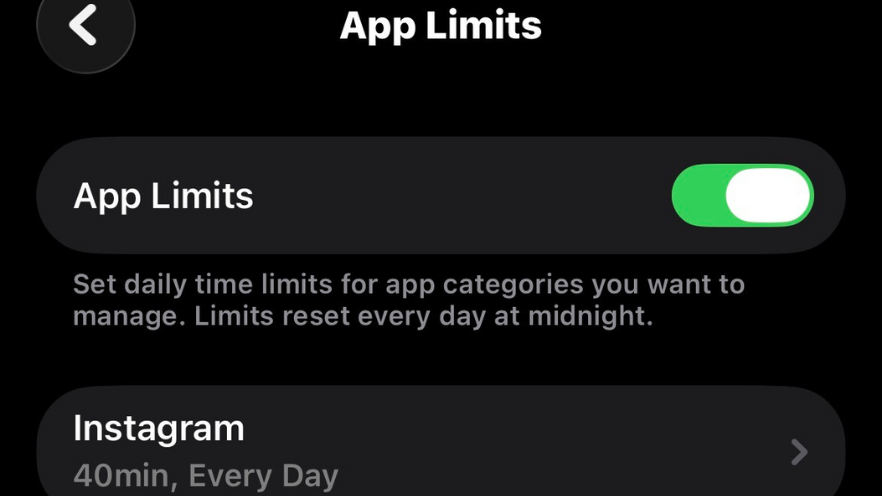
One of the handiest digital wellbeing tools available on both iPhone and Android is the app timer. You set a daily time limit for any app you choose, and once you hit it, the app goes grey and reminds you that your time is up. It puts you back in the driver’s seat without requiring any willpower in the moment, which is exactly when willpower tends to disappear.
You can set timers on pretty much any app, social media, streaming services, games, you name it! A good starting point is to check your current average usage for your top apps and set a timer at about 20% less. It’s a gentle nudge rather than a hard stop, and most people find they adapt to it quickly without feeling like they’re missing out on anything important!
Take Control of Your Notifications
If there’s one change that makes a bigger difference than almost anything else, it’s getting on top of your notifications. The average smartphone user receives dozens of notifications a day, and each one is a little interruption that pulls you away from whatever you were doing (my watch just distracted me with a notification as I was writing that sentence!). Among the most digital wellbeing tools on any device is the ability to customise exactly which apps can notify you and when.
On iPhone, go to Settings, then Notifications, and work through each app one by one. Turn off notifications for anything that doesn’t genuinely need your immediate attention. Social media apps are almost always a good place to start. On most Androids, you can long-press any notification to quickly adjust the settings for that app on the spot. You’ll be amazed at how much calmer your phone feels when it’s not constantly clamouring for your attention!
Filtering With Focus Modes
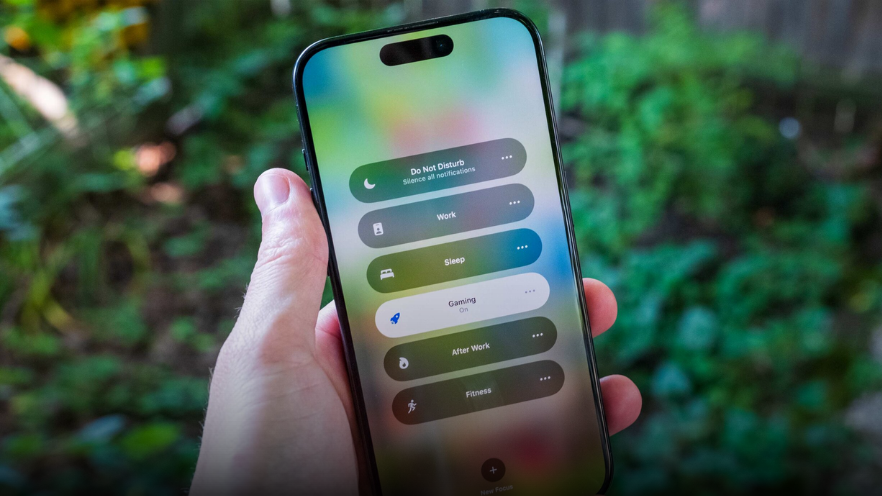
Both iPhone and Android have powerful Focus modes that let you create custom settings for different parts of your day. You might set up a Work focus that only allows calls from certain contacts and silences everything else. Or maybe a Sleep focus that kicks in at bedtime and dims your screen, or a Personal focus for weekends that limits work emails. These are some of the most sophisticated digital wellbeing tools available right now, and they’re completely free.
On iPhone, find Focus in Settings, or swipe down from the top right corner of your screen to access Control Centre. On Android, look for Modes and Routines in your Settings. You can even set these to turn on automatically at certain times of day, or when you arrive at certain locations, so your phone is already in the right mode before you even think about it!
You don’t need to overhaul your entire relationship with technology to feel the benefit of using it more intentionally. Sometimes it’s as simple as moving your most distracting apps off your home screen so they’re a little harder to tap out of habit, switching your phone to greyscale mode in the evening, or charging your phone in another room overnight. These tiny friction points make a big difference over time!
At Geeks on Wheels, we love helping Kiwis get the most out of their devices, and that includes setting them up in a way that works for your life rather than against it. If you’d like a hand configuring any of these settings or want to know more about what your device can do, give us a call or book a Geek online. We’re always happy to help!
