

Mobile Computer Repairs






We’ve installed over 13,000 mesh Wi-Fi optimisation units in Kiwi households, bringing better connections, faster speeds and happier internet users!

Imagine a world where you never had to worry about your devices ever again.
Geek+ bundles all of our amazing service options into one easy membership. Get a plan that works for you – or for your business. Join the Geek Club. Get Geek+

62% of Kiwis encounter scams daily, weekly or monthly. Don’t take the risk – get an expert’s opinion.
With GeekSafe you can forward us suspicious messages to check before it’s too late. Our expert technicians will assess your messages and let you know if we believe it’s a scam. Taking the guesswork out of the equation.

“I fell in love with the whole attitude of Geeks on Wheels”
David Feehan, managing director of Tapestry Music Ltd talks of his experiences with Geeks on Wheels and how we have helped him with his technology for over 15 years.
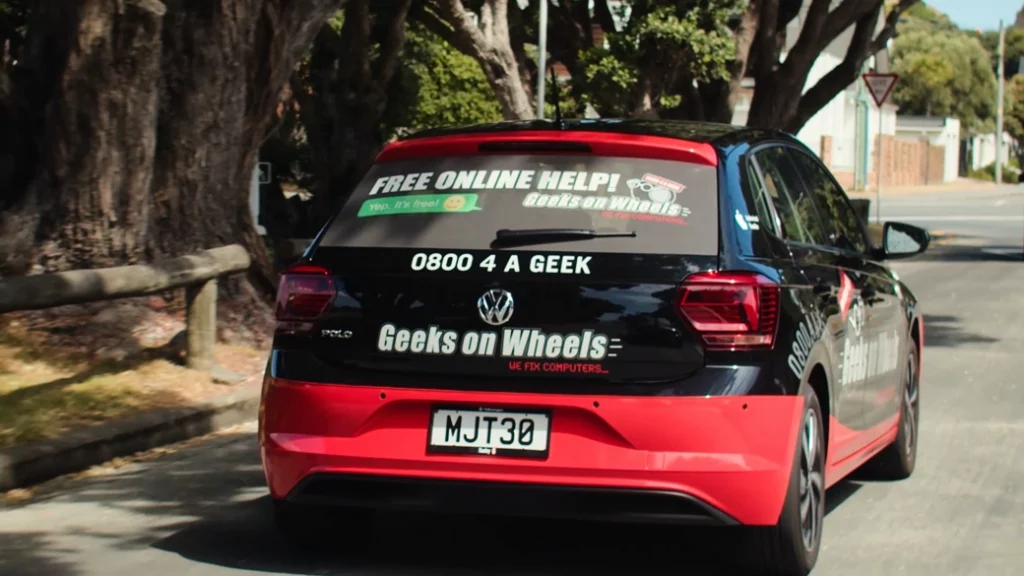
Originally drawn in by our eye catching cars, David became a long time customer thanks to our quality service.
Book a Geek for onsite IT support
We offer our onsite computer repairs in Auckland, Waikato, Tauranga, Rotorua, Taupō, New Plymouth, Hawke’s Bay, Whanganui, Palmerston North, Kapiti, Wellington, Christchurch, Ashburton, Dunedin, Queenstown and Invercargill.
If your location isn’t listed, our friendly, NZ-based Geek Helpline team can assist over the phone!
Book a Geek today on 0800 424 335 and receive the IT support you’ve come to expect from the team helping Kiwis with their computer issues for over 20 years!
Fast and friendly services

Technology misbehaving?
Time to get a Geek in. We can help with all your IT needs including PC and Apple Mac systems, smartphones, tablets, and more.

Call Geeks on Wheels
Call our friendly team on 0800 4 A GEEK, or fill out a Book a Geek form online to arrange an appointment.

We come to you
For your convenience, we come to you at your home or business. We have appointments available in the evenings and weekends.

Problem solved
Our technicians combine computer expertise with great personality. They explain things without using technobabble and get everything working again. Easy!
How can we help you?
If you need computer help in New Zealand, Geeks on Wheels are the ultimate IT support team, available wherever you are!
Whether you need a computer repair expert or IT advice on how to handle Wi-Fi connectivity problems, the team at Geeks on Wheels can come to you at your home or business.

Whether you have an unresponsive PC or a broken laptop screen, Geeks on Wheels can solve your computer repair problem today.

Need to set up your email account? Stay connected with the world and let Geeks on Wheels set up your email for you.

Slow or patchy Wi-Fi? Don’t get frustrated over a dropped connection, Geeks on Wheels can optimise your network today.

A slow computer can be frustrating – our team can easily improve your computer through servicing or affordable part upgrades.

Back up your data! Photos, music, emails, contacts, or business files are important, and our team can ensure you keep them safe.

Is your computer running really slow all of a sudden? You might have a virus – call Geeks on Wheels for quick malware removal.

Need help setting up a smartphone, laptop, or PC? Geeks on Wheels can set up your device and teach you to use it in the process.

Geek+ bundles our amazing service options into one easy membership. Get a plan that works for you – or for your business. Join the Geek Club. Get Geek+
Geeks on Wheels for expert computer help and IT support
For over 20 years, our team has helped New Zealanders with computer and technology problems. If you need help setting up a device for your home or office, the Geeks on Wheels team is only a call away!
We are confident we can handle almost any computer or technology issue and can assure our customers that no problem is too simple or complex for our technicians.
Malware removal and data recovery services
Do you need help securing your personal data, or do you worry that your hard drive contains a dangerous piece of ransomware? Geeks on Wheels can take on any data recovery task – let us handle your IT problems so that you can rest easy.
Our team have years of experience in all areas of network and computer security. If you need assistance in your home or business setting up a computer, network, or Wi-Fi router, book a Geek today!
We fix Windows, Apple, Android devices and more.

Online safety tips
-

Recent Scams in New Zealand
We’ve put together a list of a few recent scams in New Zealand. Scams are ever-present online, and staying up to date with what’s happening and what risks are out there is important. This year has had its fair share of trickery, from Microsoft phishing emails to fraudulent AI fundraisers and verification scams; we’ve seen…
What’s new on our blog



Latest Facebook posts

31 October 2026
Streaming platforms have changed the way a lot of us watch TV. With services like Netflix, Disney+ and Neon, you can pretty much watch anything you want, whenever you want. There are no ad breaks on most paid plans, no waiting for a show to air at a set time, and you can binge an entire season in one sitting. You can also watch on your phone, laptop or TV, which makes it easy to fit viewing around your own schedule. For plenty of people, that freedom and variety is hard to beat!
On the other side, free-to-air TV still has a loyal following. There’s no need to pay for heaps of different subscriptions, which can add up quickly as more platforms launch and prices keep creeping up. Free-to-air TV doesn’t require high-speed internet or a smart device, meaning less reliance on the home network. It’s also easier to switch on and just watch, without spending half an hour scrolling through endless options trying to pick something. Free-to-air still has live sport, breaking news and local shows that you can’t always find on streaming. The downsides are ad breaks, fixed schedules and a smaller range of content, and some find it harder to catch up if they miss something. For this group, simple and free is hard to argue with.
So are you still sticking with free-to-air, or have streaming services won you over? Drop a 👍 or ❤️ below and let us know your thoughts in the comments!
30 October 2026
When the tech giant was founded in Japan back in 1933, they were named Precision Optical Instruments Laboratory. Their very first camera prototype was called The Kwanon, named directly after the Buddhist goddess of mercy.
The original logo looked nothing like the sleek red text we see today; it was a highly detailed illustration of the goddess surrounded by flames! 🔥
They officially rebranded to "Canon" in 1935 to give the company a more modern, global sound.
#FunFactFriday
